iPhone & iPad · iOS 26+
ClipStamp
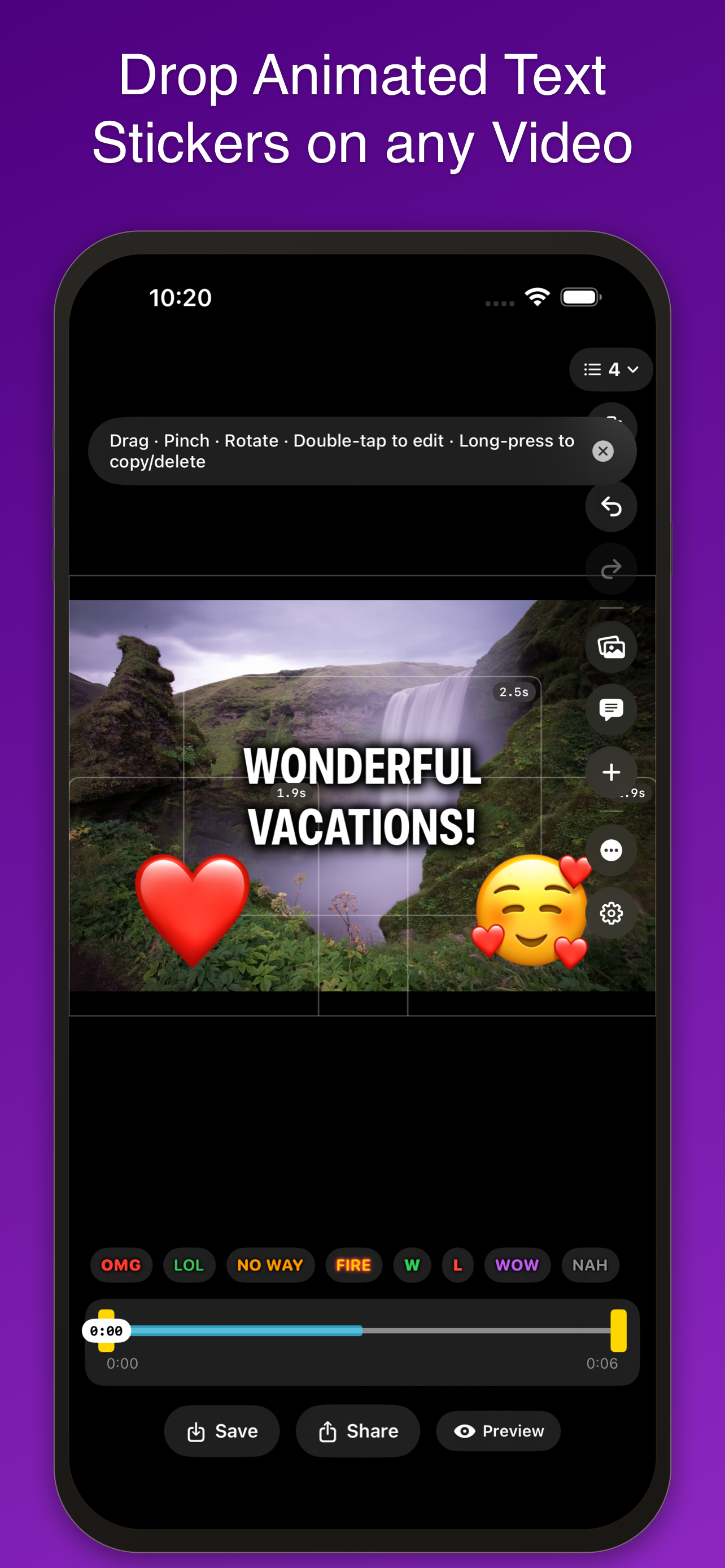
Drop animated text stickers on any video or photo. Combine clips, apply effects, change speed — then export as video or GIF with everything burned in. All on-device.
iPhone & iPad · iOS 26+
Drop animated text stickers on any video or photo. Combine clips, apply effects, change speed — then export as video or GIF with everything burned in. All on-device.
More than stickers
Everything happens in one editor — stamp, combine, restyle, and retime your clips.
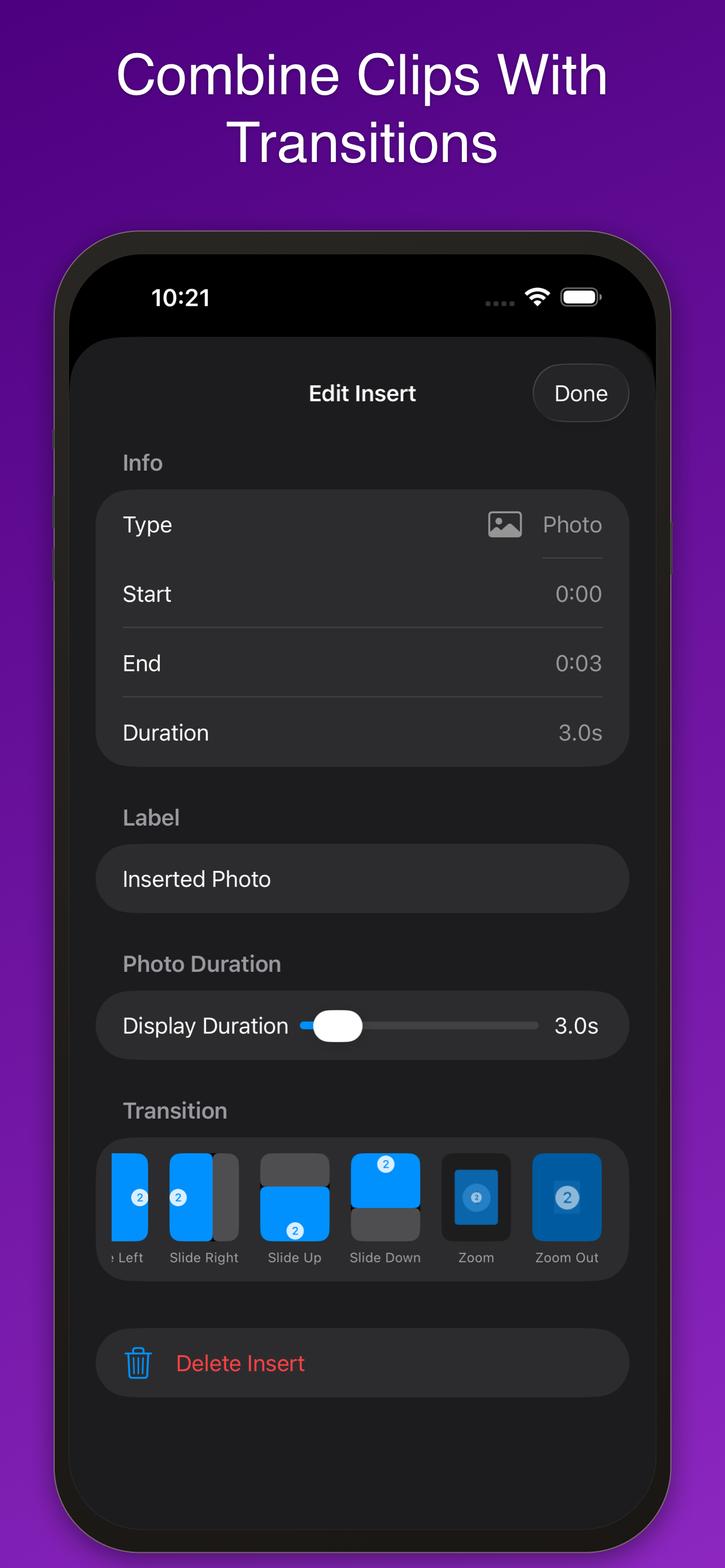
Insert photos and videos at the beginning, current position, or end — with 11 transitions like Crossfade, Slide, Zoom, and Spin. Manage Clips shows your whole timeline in order.
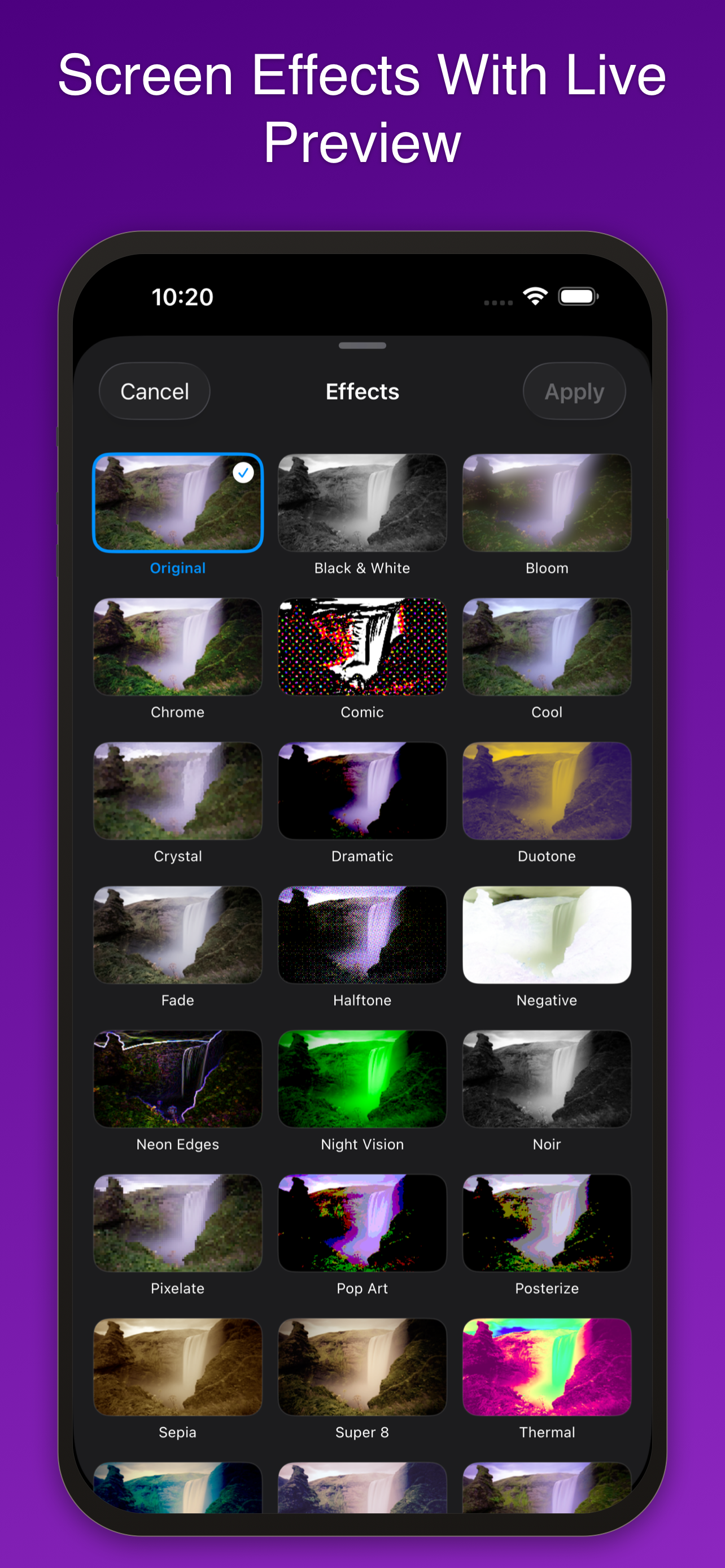
25 screen effects with live preview — VHS, Super 8, Pixelate, Duotone, Night Vision, Neon Edges, and more. Change speed from 0.25× slow motion to 4× timelapse; stickers stay on their frames.
A look inside
Customize everything
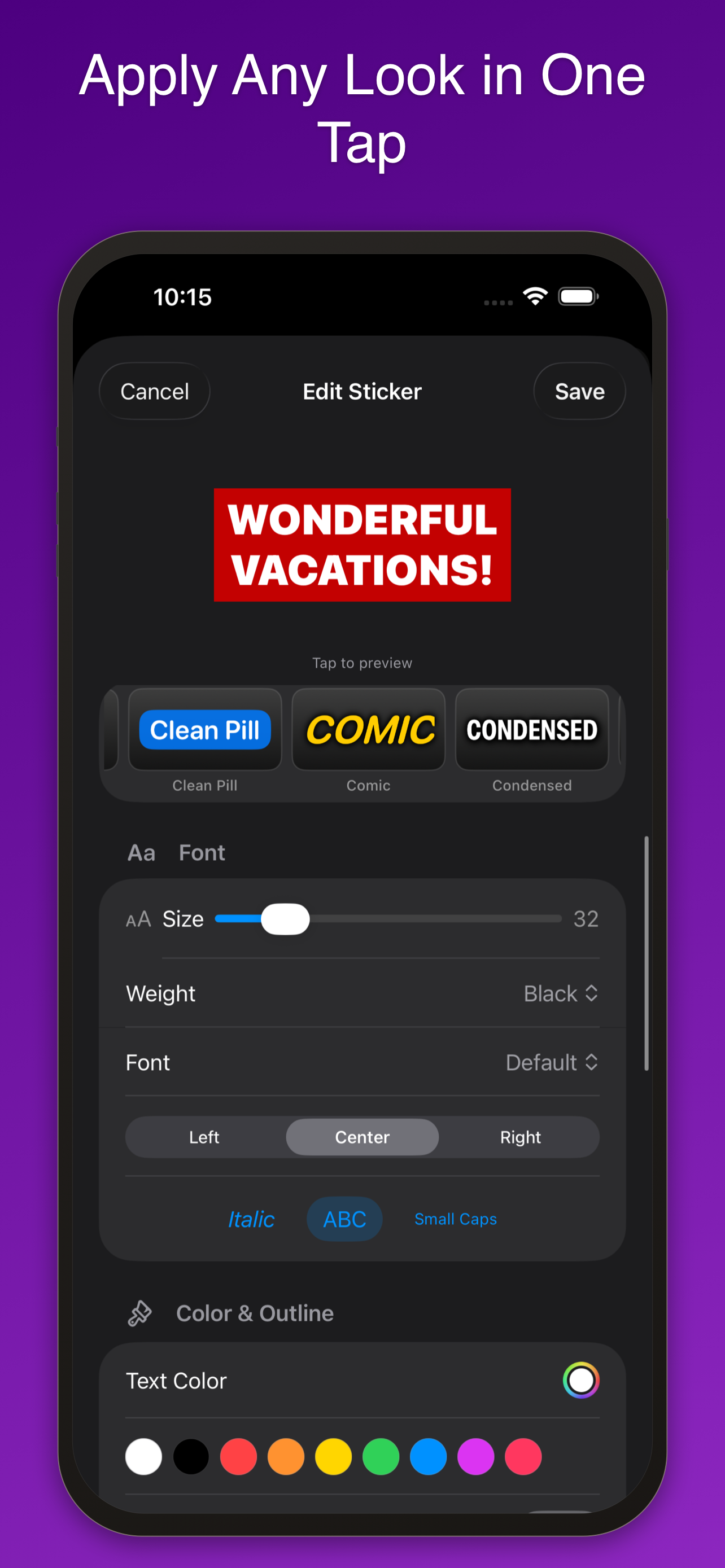
7 font designs, size 5–180, weight, colors, italic, uppercase, small caps, and text alignment. Plus 38 presets shown as live preview cards.
12 styles from Bounce to Glitch, speed from 0.25×–3×, and Repeat Forever to loop for the whole video.
Drag, pinch, and rotate freely. Yellow snap guides for center and thirds; rotation snaps every 45° with haptics.
Add a drop shadow or neon-style glow behind any sticker, with adjustable color and radius.
Set exactly when each sticker appears. Drag timing dots on the scrubber or use the slider in the editor.
Save projects and resume anytime. Export as video or GIF with everything burned in — the export matches your preview exactly.
Privacy
All processing happens locally. No account required, no analytics, no tracking. Apple handles payment data for the unlock purchase. That's it.
Questions
Yes — every editing feature is free: unlimited stickers, all 12 animations, all 25 effects, transitions, speed control, trimming, GIF export, and projects. Free exports are capped at 5 seconds and include a small watermark.
No. A single one-time purchase removes the 5-second export limit and the watermark. That's the whole business model.
Yes. Import a photo and convert it to a video of any length from 3 to 60 seconds — great for memes, thumbnails, and still-image reactions.
Yes. Save your edit as a project file with all stickers, inserts, and settings preserved — then reopen it anytime, or share it via AirDrop and the Files app.
Exactly. All animations, backgrounds, shadows, effects, and speed changes render pixel-perfect — what you see is what you get.
Every editing feature is free. One purchase — no subscription — removes the 5-second limit and the watermark.
Download on the App StoreLegal
Last updated: July 15, 2026
The short version: ClipStamp collects no data. No account, no analytics, no tracking, no ads. Your videos and photos are processed entirely on your device and never sent anywhere.
Nothing. ClipStamp has no servers, requires no account, and includes no analytics or advertising frameworks. We cannot see your videos, your edits, or anything about how you use the app.
All editing, effects, and exporting happen locally on your device. ClipStamp requests access to your photo library only to let you pick media to edit and to save your exports. Media you pick is accessed through Apple's system picker; saving uses add-only access. Your media never leaves your device.
ClipStamp can sync your reaction sticker configurations (names, styles, and preferences — never your videos) across your devices using Apple's iCloud key-value storage. This data lives in your iCloud account and is transferred only between your own devices through Apple's infrastructure. We have no access to it. You can turn this off in the app's settings.
The optional one-time unlock is processed entirely by Apple through the App Store. Apple handles all payment information; we never see your payment details. See Apple's Privacy Policy for how Apple processes purchase data.
Project files you save or share (via AirDrop, the Files app, or the share sheet) contain your video, stickers, and settings. They go only where you send them — sharing is always initiated by you.
ClipStamp is rated 4+ and collects no data from anyone, including children.
If this policy ever changes, the updated version will be posted at this address with a new "last updated" date. Since the app collects nothing, meaningful changes are unlikely.
Questions about privacy? Email sylvain@myrcbox.com.
Legal
Last updated: July 15, 2026
These terms apply to the ClipStamp app for iPhone and iPad ("the app"), developed by Sylvain Lafrance ("the developer"). By downloading or using the app, you agree to these terms and to Apple's standard Licensed Application End User License Agreement.
You are granted a personal, non-transferable license to use ClipStamp on Apple devices you own or control, as permitted by the App Store terms. The app, its design, and its code remain the property of the developer.
You keep all rights to the videos and photos you edit. In return, you are solely responsible for the content you create and share with the app. By using ClipStamp you acknowledge and agree that:
All editing features are free. Exports in the free version are limited to 5 seconds and include a watermark. An optional one-time in-app purchase ("the unlock") removes the export length limit and the watermark. The unlock is not a subscription, is tied to your Apple Account, and can be restored on your other devices with the Restore Purchase button. Payments and refunds are handled by Apple under the App Store terms — the developer cannot issue refunds directly.
ClipStamp is provided "as is", without warranty of any kind. While the app is built to be reliable, the developer does not guarantee that it will be error-free or uninterrupted, and is not responsible for loss of data — keep copies of media that matter to you.
To the maximum extent permitted by law, the developer shall not be liable for any indirect, incidental, or consequential damages arising from the use of, or inability to use, the app. In any case, total liability is limited to the amount you paid for the unlock.
The app and these terms may be updated over time. Continued use of the app after an update constitutes acceptance of the revised terms. The current version of these terms will always be available at this address.
Questions about these terms? Email sylvain@myrcbox.com.